How to Take Great Photos With a Leg Cast (2026 Guide)
A cast changes how you move, not how good your photos can look. This guide covers light, angles, outfits and poses so every picture of your leg cast looks intentional instead of accidental.
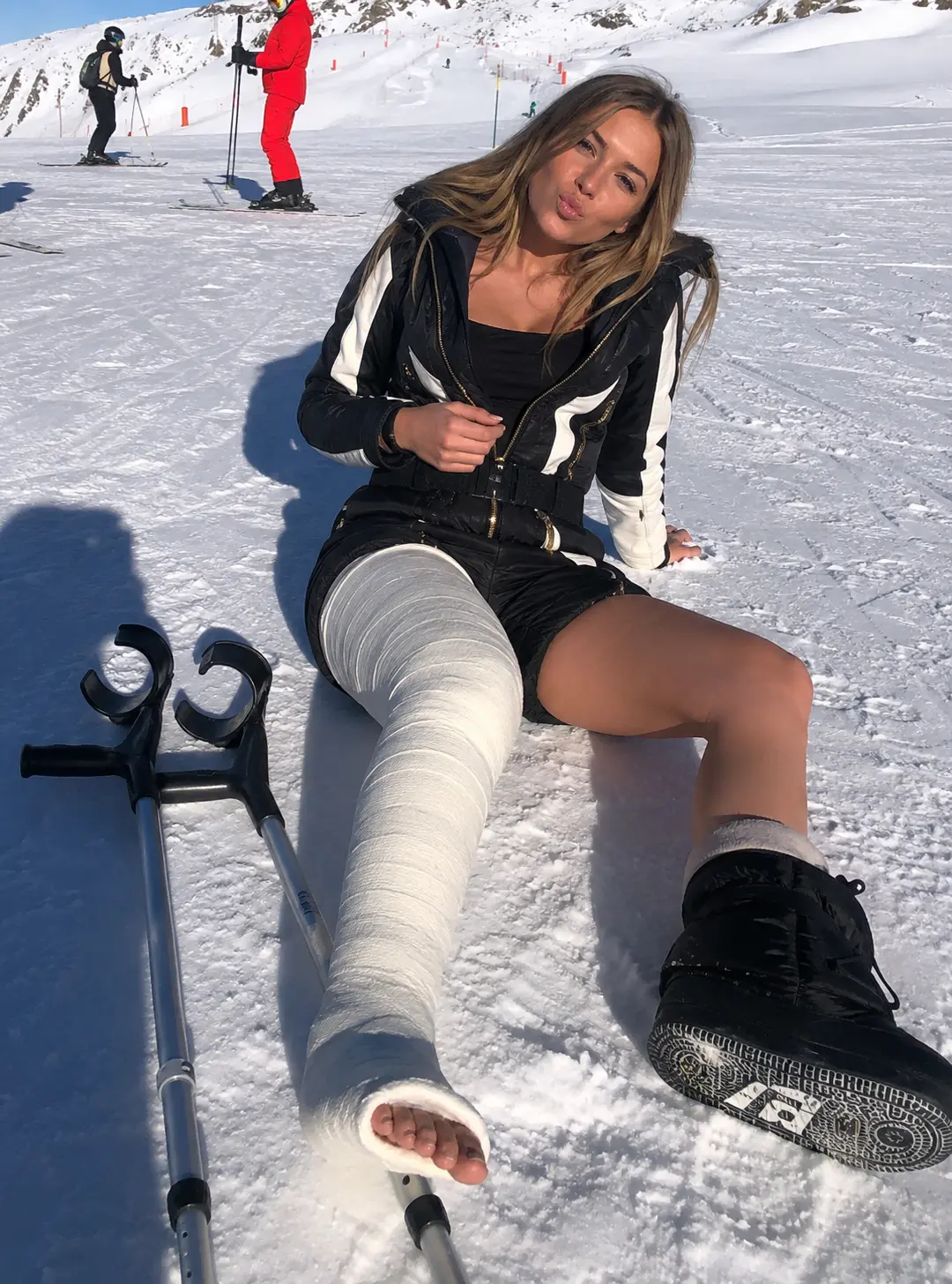
1. Start with the light, not the pose
Soft side light from a window is the most flattering setup for fiberglass: it reveals the woven texture of the cast without blowing out the white. Sit at a 45° angle to the window, keep the casted leg on the light side and let the shadow fall behind you.
Outdoors, shoot in the hour before sunset. Direct midday sun flattens the cast and creates hard shadows under the knee. If you only have midday light, move into open shade — a balcony, a doorway or under a tree.
2. Put the cast in the foreground
The most engaging cast photos use the leg as the leading line. Sit with the casted leg extended toward the camera and shoot slightly below eye level: the perspective makes a long leg cast (LLC) look longer and more cinematic.
Keep the exposed toes in frame. They are the detail that makes the photo read as a real cast rather than a costume, and they anchor the composition.
3. Choose outfits that contrast with the cast
White fiberglass pops against dark denim, black knitwear or deep green. Coloured casts (pink, blue, orange) work best with neutral outfits so the cast stays the focal point.
Oversized shirts, wide dresses and shorts cut above the cast edge all photograph well because they keep the plaster fully visible without looking staged.
4. Poses that actually work with crutches
Leaning against a wall with crutches under one arm reads as natural and gives your hands something to do. Sitting on a low wall with the casted leg extended is the safest and most repeatable pose.
For a wheelchair setup, shoot from the front three-quarter angle with both legs extended — it frames the casts instead of hiding them behind the wheels.
5. Locations that add a story
Clinic corridor on day one, couch and blanket during the first week, park bench or lakeside once you regain mobility, rooftop or terrace for the final week. A simple chronological series performs far better than isolated shots.
6. No cast, no camera? Generate the photo instead
Castlife Studio is an AI image studio built specifically for orthopaedic casts. You choose the cast type (LLC, SLC, DLLC, LAC, SAC), the colour and the scene, and get an ultra-realistic HD photo in about 20 seconds — with correct joint anatomy, exposed toes and realistic fiberglass texture.
FAQ
What is the best angle to photograph a leg cast?
Slightly below eye level, with the casted leg extended toward the camera. This elongates the cast and keeps the exposed toes in frame.
Should I hide my crutches in photos?
No. Crutches add context and give your hands a natural position. Lean them against a wall or hold one under the arm rather than cropping them out.
Can I create cast photos without wearing a cast?
Yes. Castlife Studio generates realistic AI cast photos from a scene description, with no camera or real cast required.
Create your own cast photos in 20 seconds
Pick your cast type, colour and scene — Castlife Studio does the rest in HD.